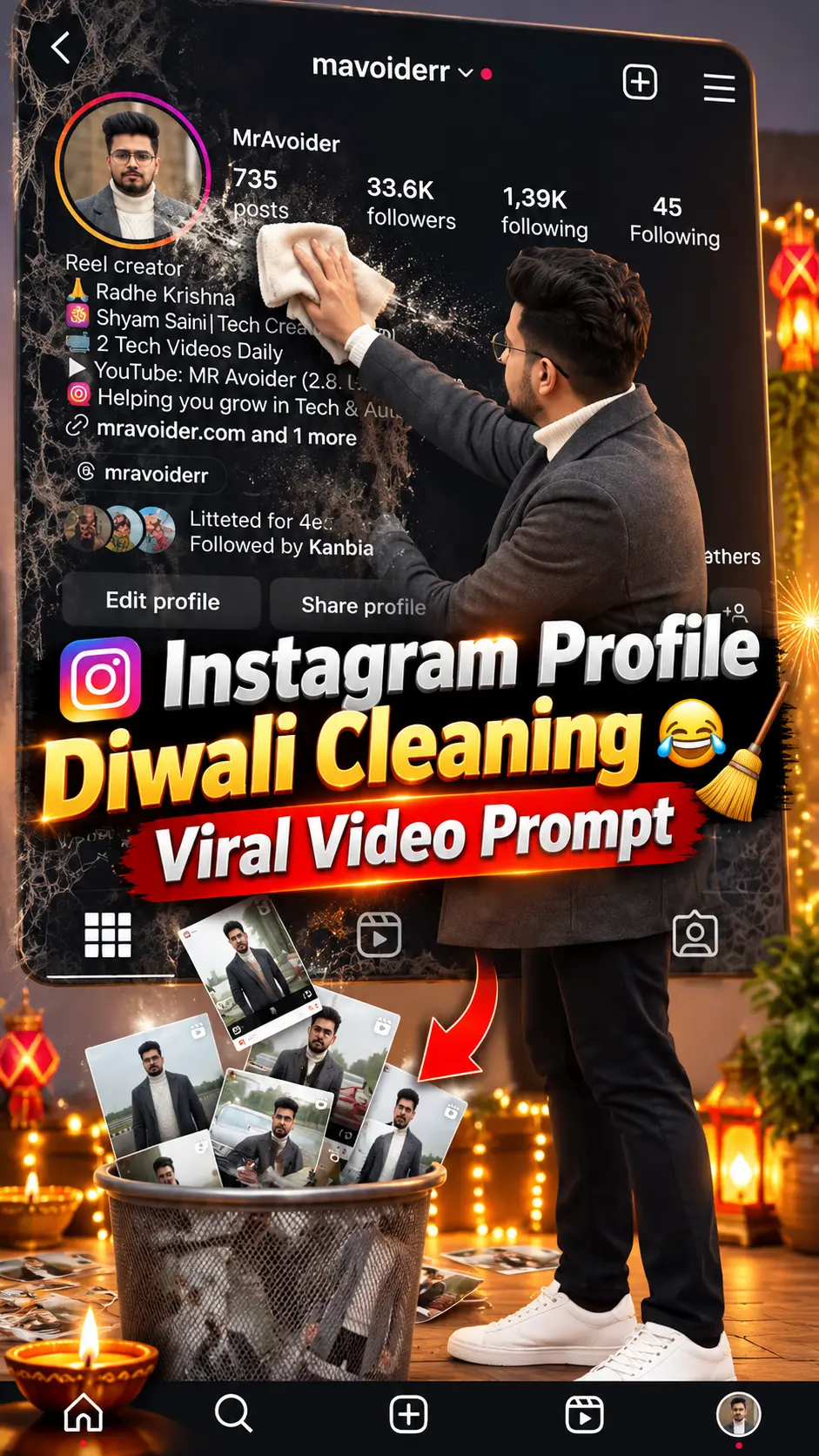
Video Prompt
How to create Diwali Instagram Profile Cleaning Viral Video Prompt
A practical starting guide for Diwali Instagram Profile Cleaning Viral Video Prompt. Prepare your input, use the original prompt, and adapt the result.
Create Diwali Instagram Profile Cleaning Viral Video Prompt
This guide starts with the Diwali Instagram Profile Cleaning Viral Video Prompt prompt from our Video Prompt collection. Use the original instructions for your first attempt, then change one detail at a time.
Prepare your input
Upload a clear, well-lit reference photo before pasting the prompt. Keep the face or main subject unobstructed.
The original prompt
Diwali Instagram Profile Cleaning Viral Video Prompt
Create an ultra-realistic 10-second vertical video using my uploaded Instagram profile screenshot as the exact background. MOST IMPORTANT — SCREEN RECORDING STYLE The entire video must look like a direct screen recording of my Instagram profile, NOT a video of a physical smartphone. The uploaded screenshot must fill the entire video frame from edge to edge. DO NOT generate a smartphone, phone frame, phone borders, hands holding a phone, desk, room, or external environment. The miniature character must exist entirely INSIDE the Instagram screenshot, appearing as a tiny realistic person standing and moving directly over the Instagram interface. Imagine a real person has magically become tiny and is walking on top of their own Instagram profile screen, exactly like a realistic miniature character superimposed onto a screen recording. 10-SECOND ACTION SEQUENCE 0–2 Seconds | Coming Out of Profile Picture The person shown in the circular Instagram profile picture magically comes alive. A small, photorealistic, full-body miniature version of that same person smoothly climbs out of the circular profile photo and steps down onto the Instagram interface. The character should appear in front of the profile information, standing directly over the screenshot. 2–5 Seconds | Cleaning the Profile A small cleaning cloth is already placed near the miniature. The character picks up the cloth and gently cleans their circular Instagram profile picture with natural wiping movements. The Instagram profile picture, username, follower count, and all other details remain completely unchanged. 5–10 Seconds | Flower Garland Decoration A beautiful traditional Indian flower garland is already resting near the miniature, within the Instagram screen. The garland contains fresh orange and yellow marigolds, white jasmine flowers, and small red roses. The miniature puts down the cloth, bends down, picks up the garland with both hands, and carefully places it around the circular Instagram profile picture. The garland should hang beautifully around the profile photo without hiding the person's face. The miniature makes a final small adjustment to the flowers and admires the decorated profile. STRICT SCREEN-RECORDING RULES The original uploaded Instagram screenshot must occupy 100% of the video frame. NO physical smartphone or mobile device should appear. NO phone mockup, phone borders, external environment, table, or room. The video must look like a direct digital screen recording. The miniature must move INSIDE the Instagram interface, never outside the screen. The miniature should be large enough to clearly see its full body, facial appearance, and movements. Preserve the person's original gender, face, hairstyle, skin tone, clothing, and identity. Do not change the original Instagram username, follower counts, following counts, bio, buttons, posts, icons, or layout. Do not recreate or redesign the Instagram screenshot. Only the miniature character, cleaning cloth, and flower garland may be added. The character must clean first and decorate second. No aarti, fire, pumpkin, or additional rituals. No camera movement, zoom, cuts, or scene transitions. Natural body movements, realistic proportions, shadows, and object interactions. Maintain the exact original screenshot as a completely static background. Vertical 9:16 video, exactly 10 seconds. FINAL VISUAL TARGET A realistic miniature version of the Instagram profile owner comes out of their circular profile picture, stands directly on top of their Instagram profile interface, wipes their profile picture with a small cloth, and decorates it with a beautiful flower garland. The result must look like someone directly screen-recorded their Instagram profile while a tiny, realistic version of themselves magically performed these actions inside the screen. ABSOLUTELY NO PHONE DEVICE — ONLY THE ORIGINAL INSTAGRAM SCREENSHOT AND THE ANIMATED MINIATURE CHARACTER.
Instructions to pay attention to
These details come directly from this prompt:
- Create an ultra-realistic 10-second vertical video using my uploaded Instagram profile screenshot as the exact background
- No camera movement, zoom, cuts, or scene transitions
- Maintain the exact original screenshot as a completely static background
Plan the motion
Start with a short clip. Keep one clear subject and one camera movement, then check that the subject stays consistent between frames. The uploaded image is a preview or reference; this prompt is intended for a video-generation tool.
Make your first version
- Copy the complete prompt above.
- Paste it into your chosen AI tool.
- Generate a first result before adding extra instructions.
- Compare the subject, framing, and lighting with the preview.
Adapt the idea
- Change the background while keeping the subject and visual style.
- Try soft natural light instead of dramatic lighting.
- Ask for extra space around the subject if you need a different crop.
Refine the result
If instructions conflict, keep the details most important to your idea and remove the rest. Results depend on the model, reference image, and settings; the preview is a reference rather than a guaranteed output.