 Spiritual6,008 copies
 1,109 copies
Spiritual · Free image prompt
Radha Krishna Gemini Prompt
Make this look your own. Copy the full prompt and follow the guide below.
The prompt
Read the guideUse this corrected version — I changed only the body-contact part so the feet are clearly away from the wall and fully respectful for the spiritual composition while keeping your entire cinematic setup intact:
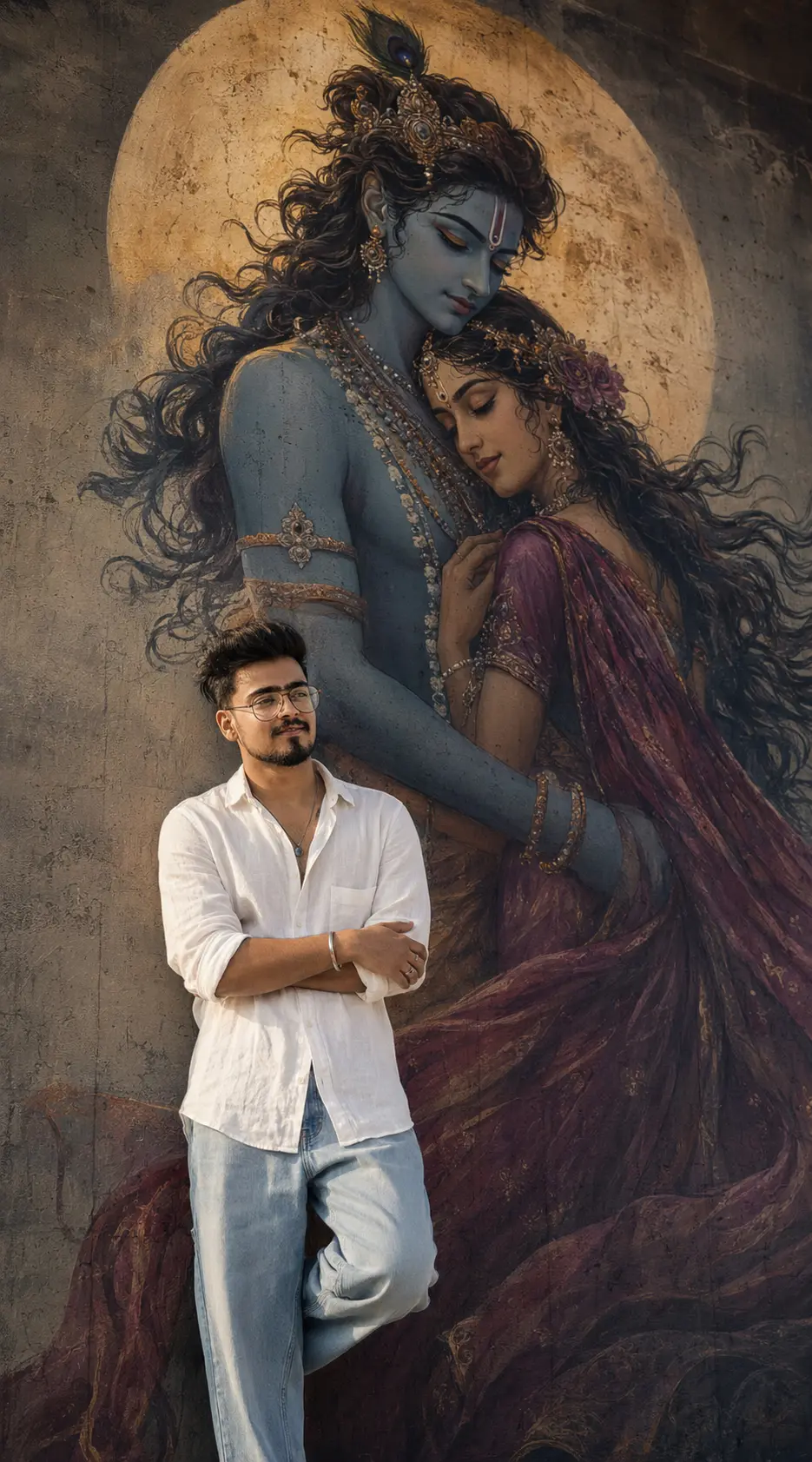
“Ultra-realistic cinematic indoor mural portrait of a young Indian man standing casually at the TOP LANDING area inside a luxury modern concrete interior.
IMPORTANT: The person must look completely natural and photorealistic — realistic Indian facial structure, soft candid expression, slightly messy cinematic hair, natural skin texture, subtle beard shadow, realistic body proportions, DSLR realism, NOT AI-looking.
MAIN COMPOSITION (MOST IMPORTANT):
ONLY ONE massive concrete wall visible dominating entire frame
giant Radha Krishna mural HAND-PAINTED directly ON the SAME concrete wall
mural covering entire upper wall area
NO visible staircase
NO visible railing
NO pipes
NO metal structures
NO stair edges
NO upper landing visible
person already standing naturally at top landing area
viewer should only FEEL elevated positioning through camera angle
upper frame should contain ONLY giant wall + mural
wall must dominate entire composition
composition identical to luxury cinematic mural photography
VERY IMPORTANT CAMERA PERSPECTIVE:
camera positioned slightly BELOW person level
photographer standing slightly lower angle
subtle cinematic upward perspective
front-facing wall portrait framing
NOT staircase-focused
NOT side-angle
viewer should feel person standing slightly above naturally
VERY IMPORTANT PERSON POSITION:
person positioned slightly LEFT or CENTER-LEFT
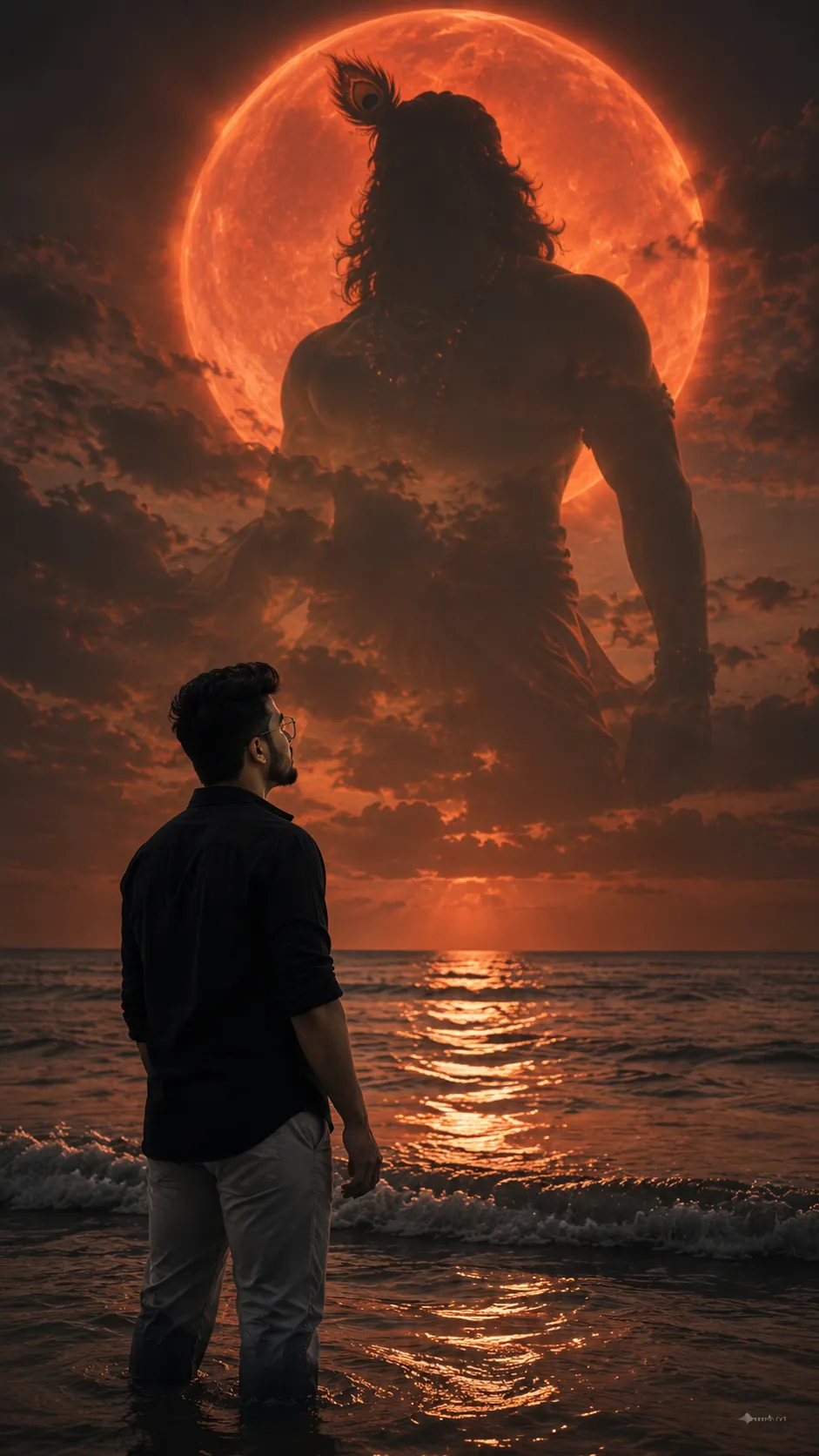
giant glowing moon naturally aligned behind upper body
mural directly behind person
person standing slightly in front of the wall with respectful distance
one shoulder softly near the wall naturally
FEET CLEARLY AWAY FROM THE WALL
NO foot touching the wall or mural area
body relaxed with effortless candid posture
VERY IMPORTANT BODY LANGUAGE:
deep calm spiritual energy
sleepy relaxed emotional expression
soft peaceful stillness
head slightly tilted sideways downward
arms folded naturally
effortless candid posture
luxury editorial realism
OUTFIT (MATCH REFERENCE IMAGE STYLE):
clean oversized WHITE linen shirt
premium soft linen-cotton texture
slightly wrinkled realistic fabric
relaxed open collar
rolled sleeves
loose LIGHT BLUE faded denim jeans
wide-leg relaxed fit
minimal spiritual styling
cinematic casual luxury aesthetic
small antique silver kada bracelet
subtle rings
MURAL STYLE (EXTREMELY IMPORTANT):
Create a giant ultra-premium fantasy Radha Krishna mural painted directly ON the concrete wall.
huge glowing moon behind them
Krishna with flowing dark hair and elegant divine presence
soft divine blue skin tone
Radha wearing flowing deep magenta and muted crimson saree
romantic emotional embrace pose
flowing hair and fabric movement
warm glowing spiritual atmosphere
luxury fantasy mural artwork
ultra-detailed painted texture
realistic hand-painted wall art
premium mural realism
WALL INTEGRATION RULE (VERY IMPORTANT):
mural MUST look physically hand-painted directly ON concrete wall
NOT poster-like
NOT canvas
NOT digitally pasted
wall grain and concrete texture naturally visible through paint
realistic paint fading and wall texture integration
fully blended with wall lighting and perspective
natural mural shadows and aging
CAMERA & LIGHTING STYLE:
vertical 9:16 composition
cinematic DSLR realism
premium Instagram editorial photography
luxury cinematic color grading
shallow depth of field
soft moody indoor lighting
warm shadow falloff
realistic grain and textures
high-end cinematic realism
STRICTLY AVOID:
stairs
railings
pipes
metal structures
upper staircase visibility
multiple walls
staircase-focused framing
centered staircase shot
side-angle composition
fake mural effect
poster effect
cartoon look
AI-looking skin
stiff fashion pose
bright flashy clothes
extra people
extra objects
busy background
FINAL RESULT:
A luxury cinematic spiritual mural portrait where the young Indian man stands naturally slightly in front of a massive concrete wall featuring a giant seamless glowing Radha Krishna mural hand-painted directly onto the same wall. The composition should feel minimal, premium, emotional, respectful, and deeply spiritual with NO visible stairs or railing at all — only cinematic wall portrait energy with ultra-realistic DSLR photography and luxury editorial realism.”
No sign-up needed. You can also select and copy the text manually.
More inspiration for you
View all →

SponsoredAd
The creator's guide
How to use Radha Krishna Gemini Prompt
Use “Radha Krishna Gemini Prompt” as a starting point for your Spiritual creation. The guide below highlights instructions from this specific prompt and shows what to change when adapting it to your own idea.
01
Get ready
Start with a clear reference photo. Upload it to an AI tool that accepts images before pasting the prompt. Choose a well-lit image with the subject unobstructed.
02
Copy & create
Copy the complete prompt above, paste it into your AI tool, and generate a first version. Keep the original instructions for your first attempt.
03
Refine one detail
Check the eyes, hands, skin texture, and likeness first. If the face changes too much, ask to preserve the reference identity and remove conflicting appearance instructions.
Inside this prompt
Lighting
fully blended with wall lighting and perspective
Composition
Use this corrected version — I changed only the body-contact part so the feet are clearly away from the wall and fully respectful for the spiritual composition while keeping your entire cinematic setup intact:
Style
Use this corrected version — I changed only the body-contact part so the feet are clearly away from the wall and fully respectful for the spiritual composition while keeping your entire cinematic setup intact:
Three variations to try
Try one follow-up at a time after generating your first result.
Change the mood
Keep the subject and composition. Replace the lighting with soft natural window light and a calm, muted palette.
Make it your own
Keep the visual style. Replace the setting with a location of your choice and remove any details that conflict with the new scene.
Adapt the framing
Keep the face and identity consistent. Leave extra space around the head and shoulders for a square profile-picture crop.
If your result looks different
The preview is a visual reference, not a guaranteed output. Results vary by model, settings, and reference image. Keep the instructions that matter most, remove contradictions, and change one detail between attempts.