 Festival275 copies
 0 copies
Festival · Free video prompt
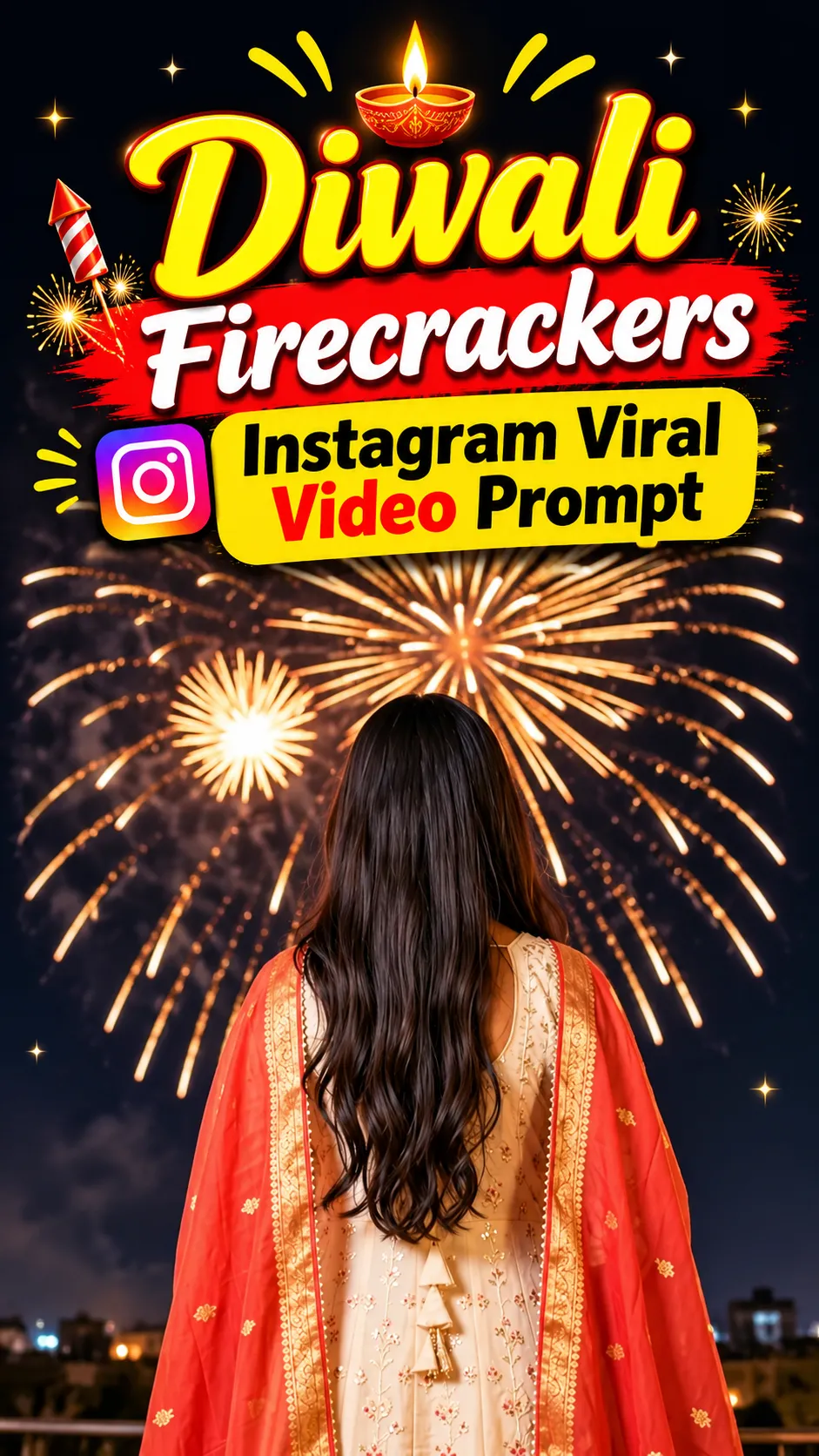
Diwali Firecrackers Instagram Viral Video Prompt
Make this look your own. Copy the full prompt and follow the guide below.
The prompt
Read the guideGenerate an ultra-realistic, cinematic 4K vertical video in a 9:16 aspect ratio featuring a beautiful young Indian woman celebrating Diwali beneath a dark nighttime sky illuminated by spectacular golden fireworks.
Scene 1: The woman stands with her back facing the camera while gazing upward at stunning golden fireworks bursting across the night sky.
Scene 2: The camera gently moves around her as she slowly turns to face the camera, giving a natural, graceful smile.
Scene 3: She playfully twirls, allowing her flowing red-orange dupatta to lift and move beautifully in slow motion.
Scene 4: Capture a cinematic close-up of her smiling face as shimmering golden fireworks cast a warm glow across her face and naturally flowing hair.
Scene 5: She turns her head over her shoulder and smiles toward the camera while thousands of brilliant golden sparks erupt in the background.
She wears an elegant cream-colored traditional Anarkali suit featuring intricate embroidery, paired with a beautiful flowing red-orange dupatta finished with golden borders. She has traditional earrings, a necklace, and soft glamorous makeup. Her long black hair flows naturally.
Visual treatment: ultra-realistic photography, cinematic illumination, warm golden lighting, authentic skin texture, graceful natural movements, beautiful bokeh, dreamy festive atmosphere, professional DSLR-style cinematography, seamless camera transitions, 4K resolution, 60 FPS.
Keep the woman's face, outfit, hairstyle, and overall appearance perfectly consistent throughout every scene. Avoid facial distortion, extra fingers, unnatural body movements, text, or watermarks.
No sign-up needed. You can also select and copy the text manually.
More inspiration for you
View all →


SponsoredAd
The creator's guide
How to use Diwali Firecrackers Instagram Viral Video Prompt
Use “Diwali Firecrackers Instagram Viral Video Prompt” as a starting point for your Festival creation. The guide below highlights instructions from this specific prompt and shows what to change when adapting it to your own idea.
01
Get ready
Open an AI tool that supports the output you want. Start a new conversation so earlier instructions do not change the result.
02
Copy & create
Copy the complete prompt above, paste it into your AI tool, and generate a first version. Keep the original instructions for your first attempt.
03
Refine one detail
Check the eyes, hands, skin texture, and likeness first. If the face changes too much, ask to preserve the reference identity and remove conflicting appearance instructions.
Inside this prompt
Lighting
Visual treatment: ultra-realistic photography, cinematic illumination, warm golden lighting, authentic skin texture, graceful natural movements, beautiful bokeh, dreamy festive atmosphere, professional DSLR-style cinematography, seamless…
Composition
Scene 4: Capture a cinematic close-up of her smiling face as shimmering golden fireworks cast a warm glow across her face and naturally flowing hair
Style
Generate an ultra-realistic, cinematic 4K vertical video in a 9:16 aspect ratio featuring a beautiful young Indian woman celebrating Diwali beneath a dark nighttime sky illuminated by spectacular golden fireworks
Three variations to try
Try one follow-up at a time after generating your first result.
Change the mood
Keep the subject and composition. Replace the lighting with soft natural window light and a calm, muted palette.
Make it your own
Keep the visual style. Replace the setting with a location of your choice and remove any details that conflict with the new scene.
Adapt the framing
Keep the face and identity consistent. Leave extra space around the head and shoulders for a square profile-picture crop.
If your result looks different
The preview is a visual reference, not a guaranteed output. Results vary by model, settings, and reference image. Keep the instructions that matter most, remove contradictions, and change one detail between attempts.